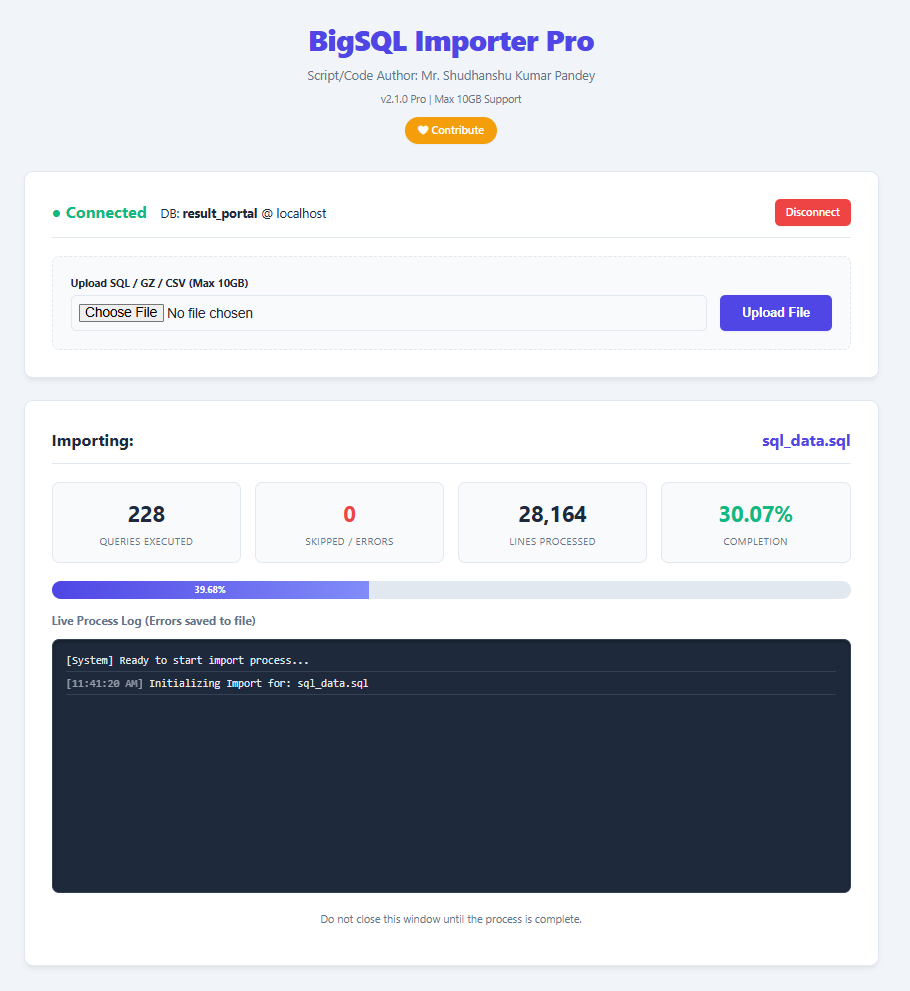
Bypass PHP timeouts and memory limits. Safely import large SQL files up to 10GB with our intelligent, AJAX-driven chunking system.
The reliable solution for database dump restore and migration.
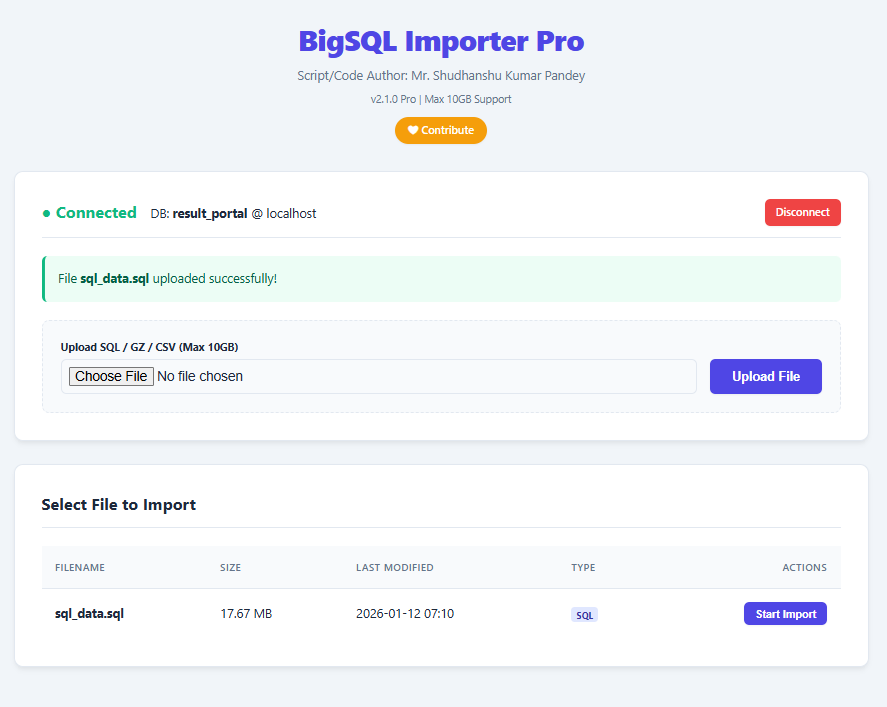
Migrating databases effectively is critical. Whether you are dealing with a bigdump sql scenario on shared hosting or performing a complex database migration import, standard tools like phpMyAdmin often crash. BigSQL Importer Pro is engineered to import big sql file archives by breaking them into atomic chunks. This ensures that even a massive sql import completes without server timeouts.
From standard backups to compressed archives, our tool is built to import sql dump file formats including .sql and .sql.gz. We also provide initial UI support to import large csv file structures and facilitate sql bulk import operations. While the core focus is sql import large database tasks, the architecture is ready for import xml file to sql and other structured data formats, making it a robust choice for cross database data import.
Designed for high volume sql import, the system features fault tolerance. It can import database dump files while skipping errors, ensuring that valid data is saved during a heavy sql dump import. If you need to restore database from dump or execute a batch sql import, this tool provides the dashboard and logs necessary to monitor every step of your database data migration.
How "intelligently exceeding the limit" prevents broken queries.
This is one of the most important safety features of the BigSQL Importer. It prevents the classic problem that happens in almost every naive "chunked SQL importer": Splitting a query in the middle → broken SQL → syntax error.
The script has a soft target: Process about $cfg_lines_per_session lines per AJAX request (originally 3000, you can change it).
However — it never stops exactly at that number if doing so would cut a query in half. The critical decision point is this condition in the main loop:
while (true) {
// ... reading lines ...
// Only allow pausing/breaking when we're in a "clean" state
if (trim($query_buffer) === "") { // ← This is the key line!
if ($lines_processed_count >= $cfg_lines_per_session
|| time() is running out) {
$status = 'continue'; // Tell frontend: "call me again for next batch"
break; // Pause here — but only if buffer is empty!
}
}
// ... keep reading and appending lines to $query_buffer ...
// Only when we see the delimiter (;) at the end → we execute and CLEAR the buffer
if (ends with delimiter) {
execute($query_buffer);
$query_buffer = ""; // ← Buffer becomes empty again
}
}
| Situation | What happens | Exceeds limit? | Result |
|---|---|---|---|
| Normal small queries | Buffer fills & empties many times within 3000 lines | No | Normal batch |
| Very long single query (e.g. huge INSERT) | Buffer keeps growing past 3000, 5000, 10k+ lines until it finds ; |
Yes | Query completes safely |
| Multi-line stored procedure / trigger / event | Same — keeps reading until custom DELIMITER is found and query ends | Yes | No syntax error |
Imagine this monster query in your .sql file:
INSERT INTO orders VALUES
(1, '2025-01-01', 'Product A', 100.00),
...
(50000, '2025-12-31', 'Product XYZ', 999.99); ← line 45,678
If your limit is 3000 lines → the script will keep reading way past 3000 lines until it finally finds that closing ; on line 45,678. Only after executing this huge query will $query_buffer become empty again → then it allows the batch to end.
The $cfg_lines_per_session = 3000 is not a hard limit — it's a desired maximum batch size for performance. But the real unbreakable rule is: Never ever return from the processor while a query is incomplete in the buffer. That's why you (almost) never see "You have an error in your SQL syntax" caused by broken query halves — even with very low batch sizes.
Everything you need for a smooth migration.
Reads and executes SQL in batches (~3000 lines) via AJAX to strictly avoid big dump sql import timeouts.
Built-in login screen protects your database dump import process. Direct database write access is secured.
Directly import sql dump from compressed .sql.gz files. Saves bandwidth and storage during migration.
Monitor your sql import large file progress with live stats, error counting, and a terminal-style console.
"Continue on error" logic ensures your bulk import sql doesn't stop for minor syntax issues or comments.
Get detailed reports on table sizes and row counts after your database batch import completes.
/xampp/htdocs/bigsql-importer//public_html/bigsql-importer/Update php.ini to handle big dump database import files:
upload_max_filesize = 10G post_max_size = 10G max_execution_time = 0 memory_limit = 1024M
http://your-domain/bigsql-importer/bigsql-importer.php